Author: nnachman

  • Walker’s Razor Slim vs. Peltor Tactical 500: Compare the Whole Setup

    Walker’s Razor Slim vs. Peltor Tactical 500: Compare the Whole Setup

    Two electronic earmuffs can serve different equipment routines even when their product descriptions sound similar. A useful shortlist connects published specifications to fit, operating instructions, battery supplies and the audio connections you actually need.

    Research-based buying guide: Gunfire has not physically tested either model for this comparison. The table uses current U.S. manufacturer listings, checked October 13, 2026. It is not a protection-performance ranking.

    The published differences

    Manufacturer specifications, not Gunfire test measurements
    Selection question Walker’s Razor Slim Peltor Sport Tactical 500
    Published NRR 23 dB 25 dB on 3M’s current U.S. listing
    Power Two AAA batteries, listed as included AA batteries, not included; separate Alpha 1100 rechargeable option
    Audio connection Audio input jack Bluetooth for mobile audio and calls
    Other listed equipment Sound-activated compression and two microphones Voice-focused processing and storage bag

    Start with fit and the environment

    A two-decibel difference in a published rating does not establish how either model protects a particular wearer. NIOSH explains that the package rating often differs from individual protection and recommends individual fit testing. Its guidance also calls for double hearing protection for impulse sounds. Follow the equipment instructions and the range’s requirements; seek qualified fitting advice for your circumstances.

    Before selecting electronics, ask whether you can achieve and maintain a proper fit while wearing your other required protective equipment. Convenience features do not settle that question. Gunfire has not measured either model’s real-world attenuation, comfort, speech clarity or durability.

    Choose a power routine you can sustain

    The battery formats call for different spare supplies. If your equipment already uses AAA cells, record that alongside the Razor Slim. If you want a rechargeable option, confirm the Tactical 500 accessory, its compatibility and the additional cost. Keep “included” and “sold separately” in separate budget columns.

    Connectivity is another practical dividing point: an audio-input jack and Bluetooth address different setups. Identify the device you intend to connect and check the exact model’s instructions. Product-family names are not enough; related variants may use different connections.

    Compare the complete purchase

    Walker’s displayed $59.99 during this source check. The cited 3M page did not provide a directly comparable retail price, so this guide does not invent one. Obtain dated quotes for the same configuration, including required batteries, accessories, shipping and return arrangements. Confirm warranty coverage with the manufacturer and seller before ordering.

    Readers who want a straightforward replaceable-battery setup can examine the Razor Slim’s published configuration. Readers seeking Bluetooth and an optional rechargeable pack can examine the Tactical 500. Neither observation establishes a winner in protection or comfort.

    Read our Razor Slim product feature, Tactical 500 feature and fit-focused review guide for related context.
  • Pelican 1170 vs. 1200: Why Interior Shape Matters

    Pelican 1170 vs. 1200: Why Interior Shape Matters

    A larger model number does not mean that every interior dimension is larger. Pelican’s 1170 and 1200 demonstrate why a protective-case shortlist should start with the equipment layout, rather than a photograph of the closed case.

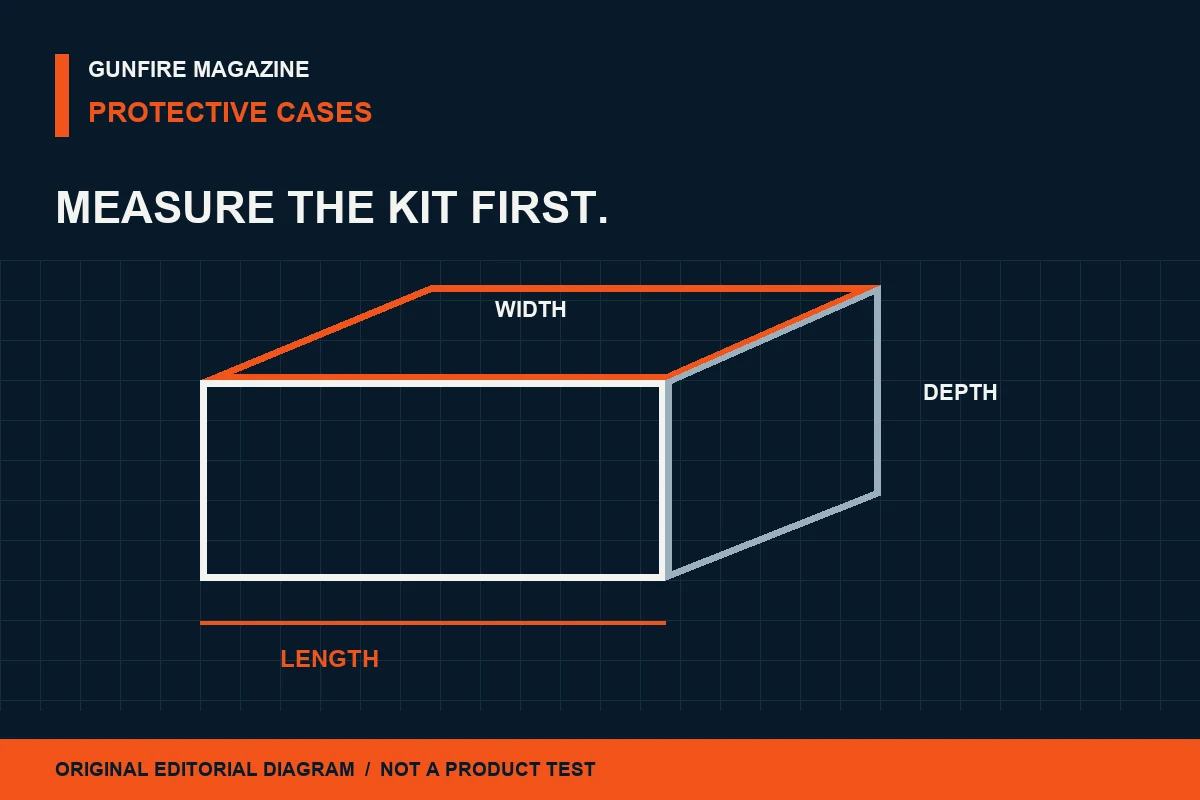
    Research-based comparison: These are manufacturer dimensions checked October 13, 2026. Gunfire has not performed fit, drop, water or durability tests on either case. The diagram is conceptual and is not drawn to either model’s scale.

    Compare the usable envelope

    Pelican’s published dimensions and weights
    Specification 1170 Protector 1200 Protector
    Interior, L × W × D 10.54 × 6.04 × 3.16 in 9.31 × 7.13 × 4.12 in
    Exterior, L × W × D 11.64 × 8.34 × 3.78 in 10.67 × 9.75 × 4.86 in
    Weight with foam 2.10 lb 2.75 lb
    Weight without foam 1.96 lb 2.55 lb

    The 1170 is longer inside; the 1200 is wider and deeper. That is a dimensional comparison, not a claim that either will hold your complete kit.

    Make a measured packing plan

    List each accessory or electronic device that will share the case. Measure it in the configuration you intend to pack, including attached parts that affect the envelope. Draw a simple top view and side view before choosing a case. Include the protective material and space needed to remove each item.

    Use the published dimensions as an initial screening tool. A rectangular outline does not establish clearance at corners, against lid foam or around an irregular object. If the fit is close, obtain the manufacturer’s detailed information or confirm the layout with a seller offering an appropriate return arrangement.

    Separate the shell from the configuration

    Both official listings offer foam and no-foam options, and publish separate weights. Check which configuration a quotation includes. Foam, dividers and other organizing materials occupy part of the interior; they are not additional usable capacity.

    For a carried kit, add the contents and packing materials to the shell weight. For shelf or vehicle storage, compare the outside footprint with the available space. A case can suit the contents yet fit poorly in the place where it will normally be kept.

    Check the claim you need

    Pelican describes both products as protective cases with sealing features. This guide does not independently validate those manufacturer claims. A weather-protection description does not establish a burglary rating, fire-resistance rating or compliance with a separate travel requirement.

    Both pages link to the manufacturer’s Guarantee of Excellence. Read its current terms for the exact item, intended use and region rather than assuming a product-page headline covers every loss or damage scenario. Current comparable retail pricing was not established here; request quotes for the same configuration.

    A useful shortlist

    Start with the 1170’s longer interior when length is the limiting measurement. Start with the 1200’s wider, deeper envelope when those dimensions constrain the layout. Then verify the complete packing arrangement. This gives each case a clear role in the comparison without inventing a hands-on verdict.

    See the 1170 product feature and Pelican company profile.

  • Prescription Protective Eyewear: Compare Three Fitting Routes

    Prescription Protective Eyewear: Compare Three Fitting Routes

    A prescription adds a second fit requirement to protective eyewear: the correction must stay properly positioned while the protective design does its job. Begin the buying conversation with that combined requirement.

    Research-based buying guide: This article compares selection routes, not tested products. OSHA’s U.S. workplace eye-protection rule is the cited reference for hazard-appropriate protection and prescription compatibility. It is not a certification of a recreational product or a substitute for the requirements of your range.

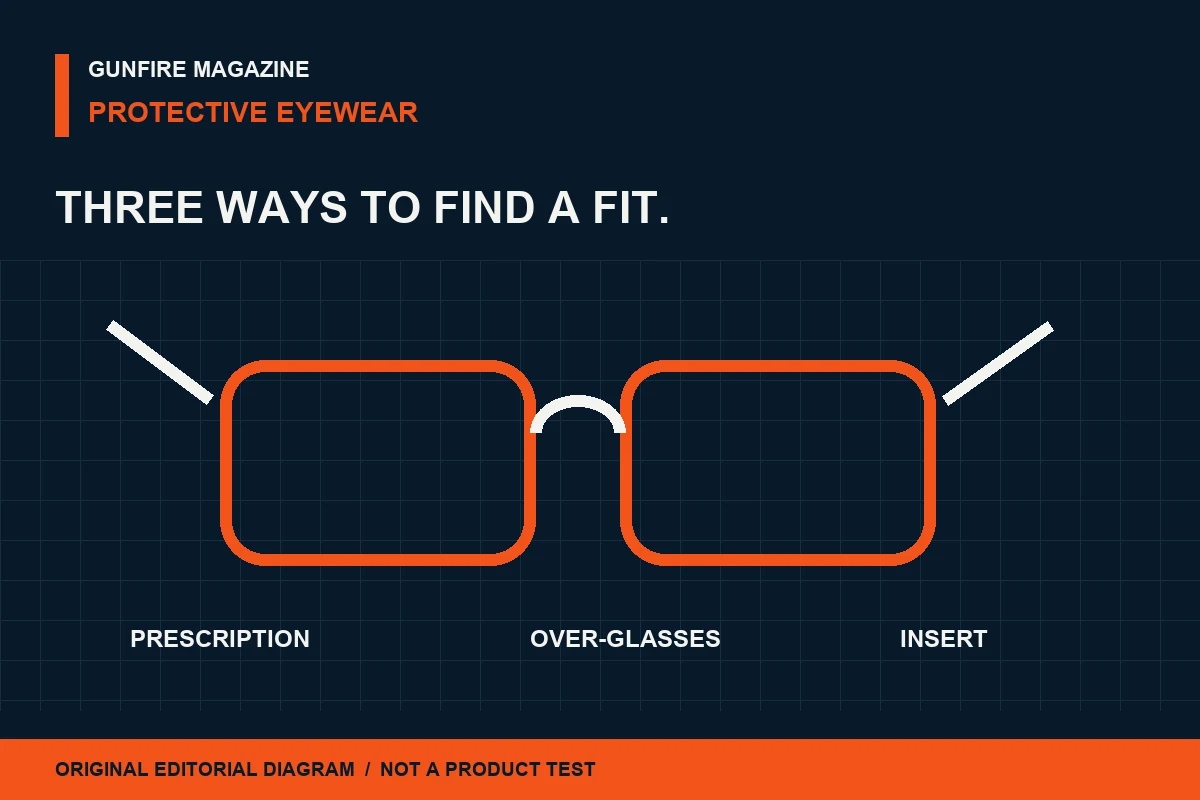
    Three routes to discuss with a qualified provider

    Questions to ask before buying
    Route What to confirm Budget and maintenance question
    Integrated prescription protection The complete frame-and-lens configuration meets the stated protection requirement with your prescription. What changes when your prescription is updated?
    Over-glasses protection The protective design fits over your everyday glasses without displacing either pair. Will your next everyday frame still fit?
    Prescription insert system The insert is authorized for the exact protective frame and lens configuration. Which parts must be replaced together?

    Keep the complete configuration in view

    OSHA’s rule addresses protection suitable for the hazard, side protection where flying objects are a hazard, and prescription protection that does not disturb proper lens position. It also identifies criteria for protective devices. Those distinctions offer useful questions for a shopping checklist.

    Ask the provider to identify the exact frame, lenses, insert where applicable, claimed standard and supporting documentation. A statement attached to one lens option should not automatically migrate to a different prescription or replacement configuration. Keep that documentation with the purchase record.

    Make compatibility part of the fitting appointment

    Explain which hearing protection and other required equipment you will wear. Ask for a fitting check of the complete arrangement using the manufacturers’ instructions. If an over-glasses design presses your prescription frame out of position, that conflict needs to be resolved before use.

    Ordinary vision correction and protective performance are separate requirements. An optician or qualified protective-equipment provider can help identify a prescription route that meets the relevant need. A retailer’s general label does not settle how a particular configuration fits you.

    Compare the cost over time

    A meaningful quotation includes the protective frame, prescription components, required accessories, fitting service and replacement arrangements. Ask whether a prescription update requires new lenses, a new insert or a complete system. Record return restrictions for custom-made components before ordering.

    Check the approved cleaning method, replacement availability and inspection instructions. A low initial price offers limited value if the required components cannot be obtained later. Warranty terms should identify which pieces are covered and what the provider will do when a component needs attention.

    Use a short purchase record

    Save the model identifiers, prescription configuration, stated protection documentation, fitting date and provider contact. Before use, follow the manufacturer’s inspection instructions and the range’s rules. This record makes replacements less ambiguous and gives future comparisons a reliable starting point.

    This guide does not recommend a lens tint, assign a safety rating or claim that Gunfire tested an eyewear system. Read our eyewear evidence guide and equipment compatibility feature for related questions.

  • Walker’s Razor Slim: The Low-Profile Electronic Earmuff

    Walker’s Razor Slim: The Low-Profile Electronic Earmuff

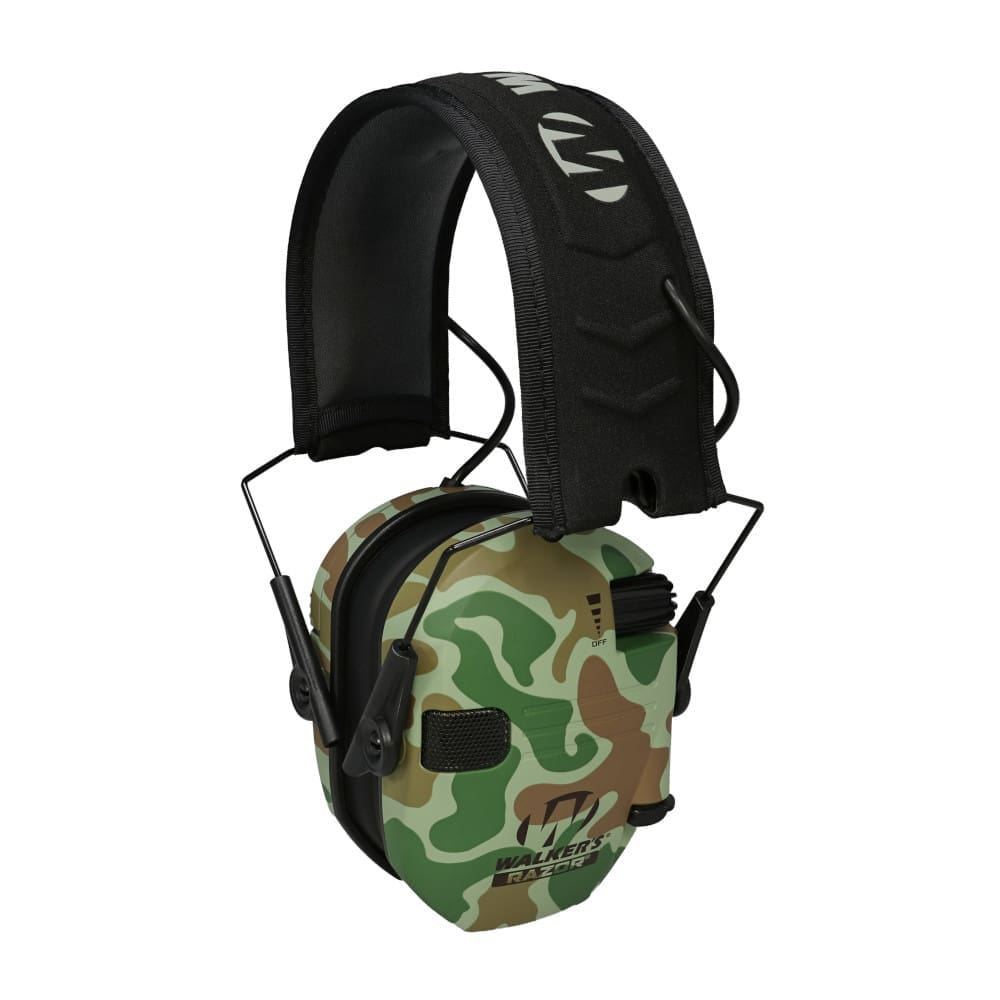
    A compact profile and straightforward power plan give shoppers a clear starting point for comparing electronic earmuffs. Walker’s Razor Slim brings those ideas together in a model offered with multiple color choices and an audio input for an external sound source.

    The product at a glance

    Manufacturer
    Walker’s
    Model
    Razor Slim Electronic Ear Muffs
    Published NRR
    23 dB
    Power
    Two AAA batteries; listed as included
    Listed website price
    $59.99 on October 13, 2026

    Specifications and website price: Walker’s official product page. Check the selected option and current price before purchase.

    The electronics behind the profile

    Walker’s describes two omnidirectional microphones, speakers, sound-activated compression and an audio input. The company lists a 0.02-second reaction time for the compression system. These details describe the manufacturer’s intended combination of ambient audio and electronic sound management.

    A product comparison becomes easier when those details are separated into useful questions: which audio connection fits the equipment already owned, how the power supplies will be organized, and which precise version is being considered. A familiar product-family name does not settle those questions on its own.

    Make the exact variant part of the decision

    The Razor family includes related products with their own configurations. Keep the complete model name in view rather than assuming that a specification attached to one version applies to every earmuff wearing the same family branding.

    The listed website price is a dated shopping reference, not a permanent price promise. Compare the selected finish, included items, shipping terms and seller before calculating a complete equipment budget. A headline price is most useful when it refers to the same configuration throughout the comparison.

    Where the Razor Slim fits in a comparison

    For a reader who prioritizes replaceable batteries and a low-profile format, the Razor Slim offers a focused set of published features to examine. The audio-input arrangement is worth placing beside connectivity options on other models rather than treating all electronic earmuffs as interchangeable.

    Walker’s publishes a 23 dB noise reduction rating for this model. Use the manufacturer’s fitting and operating instructions as part of the selection process. A well-organized comparison keeps source documents, model identifiers and current prices together, making it easier to revisit the decision as equipment needs change.

    Explore the Peltor Sport Tactical 500 · Equipment buying guides

  • Pelican 1170 Protector Case: A Compact Kit, Carefully Planned

    Pelican 1170 Protector Case: A Compact Kit, Carefully Planned

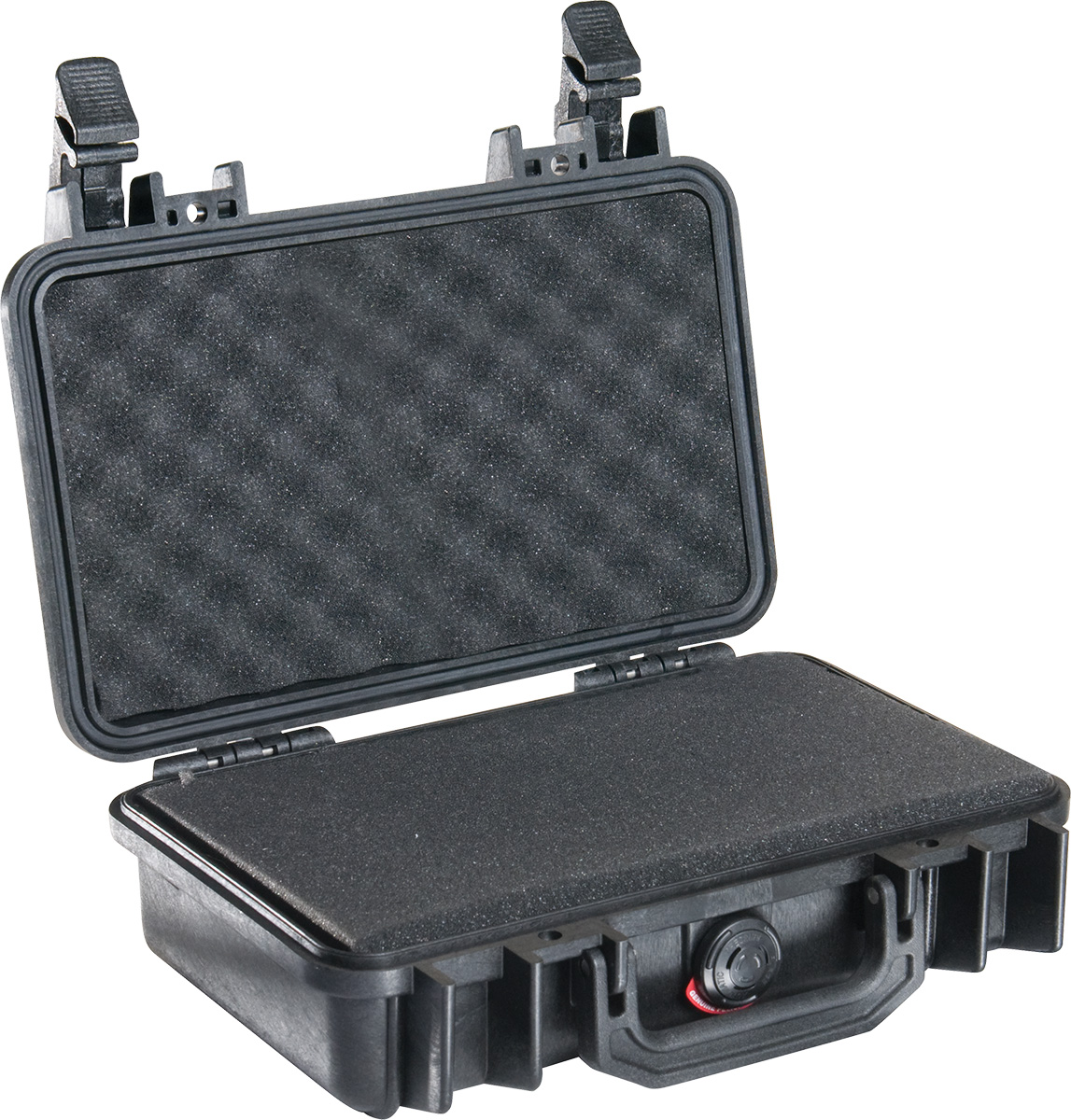
    The most useful measurement on an equipment case is often the one inside it. Pelican’s 1170 Protector is a compact case whose published dimensions make it a candidate for small accessories and electronics, provided the packing plan begins with the equipment rather than the outside footprint.

    The product at a glance

    Manufacturer
    Pelican
    Model
    1170 Protector Case
    Interior dimensions
    10.54 × 6.04 × 3.16 inches
    Exterior dimensions
    11.64 × 8.34 × 3.78 inches
    Published weight
    2.10 pounds with foam; 1.96 pounds without foam

    Specifications: Pelican’s official 1170 listing, checked October 13, 2026.

    Start with the interior

    Interior dimensions provide a useful planning envelope. List the items intended for the case, including attached cables or accessories, and allow room for protective spacing. An item’s bare dimensions are only one part of a packing plan; how it will be arranged and removed matters as well.

    Foam configuration deserves separate attention. Equipment and protective material share the same interior space, so a small case that appears large enough on paper can call for a different arrangement once spacing is considered. A simple measured layout is more informative than choosing by exterior size alone.

    Construction details in context

    Pelican lists configurable foam, double-throw latches, an O-ring seal and an automatic pressure-equalization valve. The company describes the case as watertight, crushproof and dustproof. Its product page distinguishes foam and no-foam configurations, with different published weights.

    That distinction is useful for a reader balancing organization against total kit weight. The case is one component of the carried load, while the contents and packing materials complete it. Confirm which configuration a seller is offering before comparing prices or building a packing list.

    Choose for the intended job

    A compact accessory case can help define a kit: the items that belong together, the space each requires and the order in which they will be used. A planning checklist should connect those priorities to the exact configuration and the manufacturer’s handling guidance.

    For the 1170, the published interior envelope is the strongest starting point. Select the case around the intended contents and protective arrangement, then check current pricing and available configurations. Product naming alone should not substitute for checking a separate security or travel requirement.

    Read the Pelican company profile · Equipment buying guides

  • Gun Show Spotlight: Planning the October Tampa Visit

    The verified event

    Florida Gun Shows lists its Tampa Gun Show for October 17–18, 2026 at the Florida State Fairgrounds, 4800 US-301, Tampa, FL 33610. Its published schedule gives Saturday hours of 9 a.m.–5 p.m. and Sunday hours of 10 a.m.–5 p.m., with admission listed at $15.

    Open Gunfire’s verified event record → · Check the official organizer schedule →

    Make the date useful

    An event listing becomes a better planning tool when the visitor connects the date with a few specific decisions. Check which entrance the organizer directs attendees to use, whether your planned arrival leaves enough time to browse, and whether admission conditions differ for members of your party.

    The published admission figure does not establish every ticket or concession detail. Ask the organizer about those conditions instead of treating an abbreviated calendar entry as a complete visitor agreement.

    Venue and visitor questions

    The fairgrounds’ official information is the place to check parking, entrance arrangements and accessibility. We have not independently confirmed a show-specific parking charge or accessibility arrangement for this occurrence, so this guide does not promise either. Visitors with specific access needs should contact the venue and organizer before traveling.

    Use the directory during planning

    Save the show on your browser, compare its dates and admission with another verified event, or download the all-day calendar entry from its listing. The calendar download contains event dates and published local opening hours; it is not a timed reservation.

    Browse Tampa’s upcoming shows · Explore the Florida directory · Read the visitor checklist

    Coverage note

    This is independent, source-based visitor coverage. It is not a report of attendance or an interview with the promoter. No event photographs are reproduced here because show-specific image permissions have not been established. Facts were checked October 13, 2026; verify changes with the organizer before departure.

  • Gun Show Spotlight: Lewisville’s October 31–November 1 Weekend

    Date and place

    American Gun Shows advertises the Lewisville Gun Show for October 31–November 1, 2026 at NTX Arena, 2401 Stemmons Fwy, Lewisville, TX 75067. The organizer’s Lewisville page identifies the arena as the former JCPenney location.

    Published public hours are Saturday 9 a.m.–5 p.m. and Sunday 10 a.m.–4 p.m. The organizer lists general admission at $10, military admission at $9 and a $15 weekend pass, with child and other concessions subject to its stated conditions. It advertises free parking.

    Check the official Lewisville visitor page → · Find the event in Gunfire’s directory →

    Read the visitor details together

    The overnight date change matters when comparing events: this weekend begins in October and ends in November. An all-day calendar entry should cover both dates, with opening hours read separately in local time.

    Before departure, confirm whether the ticket option you intend to use covers one day or the full weekend. A listing of general admission is not a promise that every visitor qualifies for every concession.

    Promoter and venue context

    The organizer describes this as a public show for collectors, hunters and first-time attendees. Its statements about selection and visitor experience remain organizer descriptions. Gunfire has not inspected the exhibitor roster or attended this occurrence.

    Accessibility and detailed entry arrangements were not independently confirmed for this guide. Ask the organizer about the specific needs of your party. Its published contact number is 774-486-7469.

    A useful comparison

    Use the directory to compare dates, location, admission, hours and promoter, then open each official source before deciding which show fits your schedule. Distance shown in Gunfire is approximate geographic distance between ZIP-area centers, rather than a driving-time promise.

    More Texas gun shows · The Gunfire visitor checklist

    Coverage note

    This independent guide was prepared from public organizer information checked October 13, 2026. It contains no invented promoter interview, attendance claim or event photograph. Show details can change; the official organizer remains the final source for visitor arrangements.

  • Industry Spotlight: Pelican’s Protective-Case Origins

    A company story rooted in equipment protection

    Pelican’s official company history traces its founding to Dave and Arline Parker in 1976, describing a need for equipment protection during diving. The company now identifies protective cases, temperature-controlled packaging and portable lighting among its product areas.

    That history is the company’s own account. It establishes the source of the narrative, without turning a corporate description into an independent assessment of every product.

    Why the distinction matters

    For magazine readers, a manufacturer profile is most useful when it connects a company’s stated purpose with questions that can be checked. In protective cases, those questions include dimensions, available interiors, configuration-specific weight, service information and the scope of published claims.

    A brand story can explain why a business says it exists. A specification page can describe a particular model. A genuine hands-on review adds another kind of evidence: an evaluator’s documented observations. None of those sources should silently stand in for the others.

    A model-level example

    Our 1170 Protector Case preview uses the official product listing to distinguish interior measurements from the larger exterior footprint. It identifies untested performance claims and leaves unresolved price information unfilled. The point is to make the evidence useful without inventing a trial.

    What remains open for reporting

    An interview could explore design decisions, material choices, service practices or the development of a particular product. That would require a real participant, authentic responses and appropriate permission. This profile contains no interview, factory visit or quotation attributed to a participant.

    Future coverage should follow the same evidence trail: start with a specific question, identify the source, and explain which conclusions require direct evaluation.

    Editorial disclosure

    This is independent, source-based company coverage prepared with AI assistance. No payment, interview participation or sample evaluation is represented by this article. Product and company photographs are omitted until republication rights are confirmed.

    Read Pelican’s company history · Gunfire editorial standards

  • Cody Firearms Museum: Reading a Collection Beyond Model Names

    Start with the museum’s record

    The Cody Firearms Museum at the Buffalo Bill Center of the West describes a collection of more than 7,000 firearms. Its collection resources range across sporting arms, presentation pieces and objects associated with the history of the American West.

    Its exhibit account describes a redesign and reopening in July 2019, with introductory discovery areas and galleries connecting historical and technological stories. A recreation of the Browning Brothers’ store helps place designers within their working context.

    Look beyond a familiar name

    A useful reading of an object begins with the museum’s identification, then asks what supports it. Who made it, when, and for which purpose? What is known about its ownership? What does the display establish, and what remains an open question?

    The same model designation can appear in several different historical stories. A presentation object, a sporting arm and an item associated with a working collection may share technical ancestry while carrying different evidence of use and ownership. The object record helps distinguish those stories.

    Collection size is not display size

    The museum’s frequently asked questions distinguish its collection from the firearms-related artifacts that accompany it. A total collection figure should not be read as a promise that every object is on view during a particular visit. Check current museum resources when planning a trip.

    Build a source trail

    For a collector or reader beginning research, record the object’s identifier, the source of its description and the date consulted. Follow related museum and archival records where available. Keep a later interpretation separate from the underlying catalog information.

    This approach is developed further in Gunfire’s guide to reading firearms history through primary sources. The aim is a stronger account of an object’s place in history, with uncertainty retained when the record does not answer a question.

    Coverage note

    This feature draws on the museum’s public collection, exhibit and FAQ resources checked October 13, 2026. It is not a report of a visit or an interview with museum staff. No historical photograph is reproduced without an established image-rights record.

    Explore the official collection resources · Read the museum’s exhibit guide

  • Peltor Sport Tactical 500: Electronic Hearing Protection with Bluetooth

    Peltor Sport Tactical 500: Electronic Hearing Protection with Bluetooth

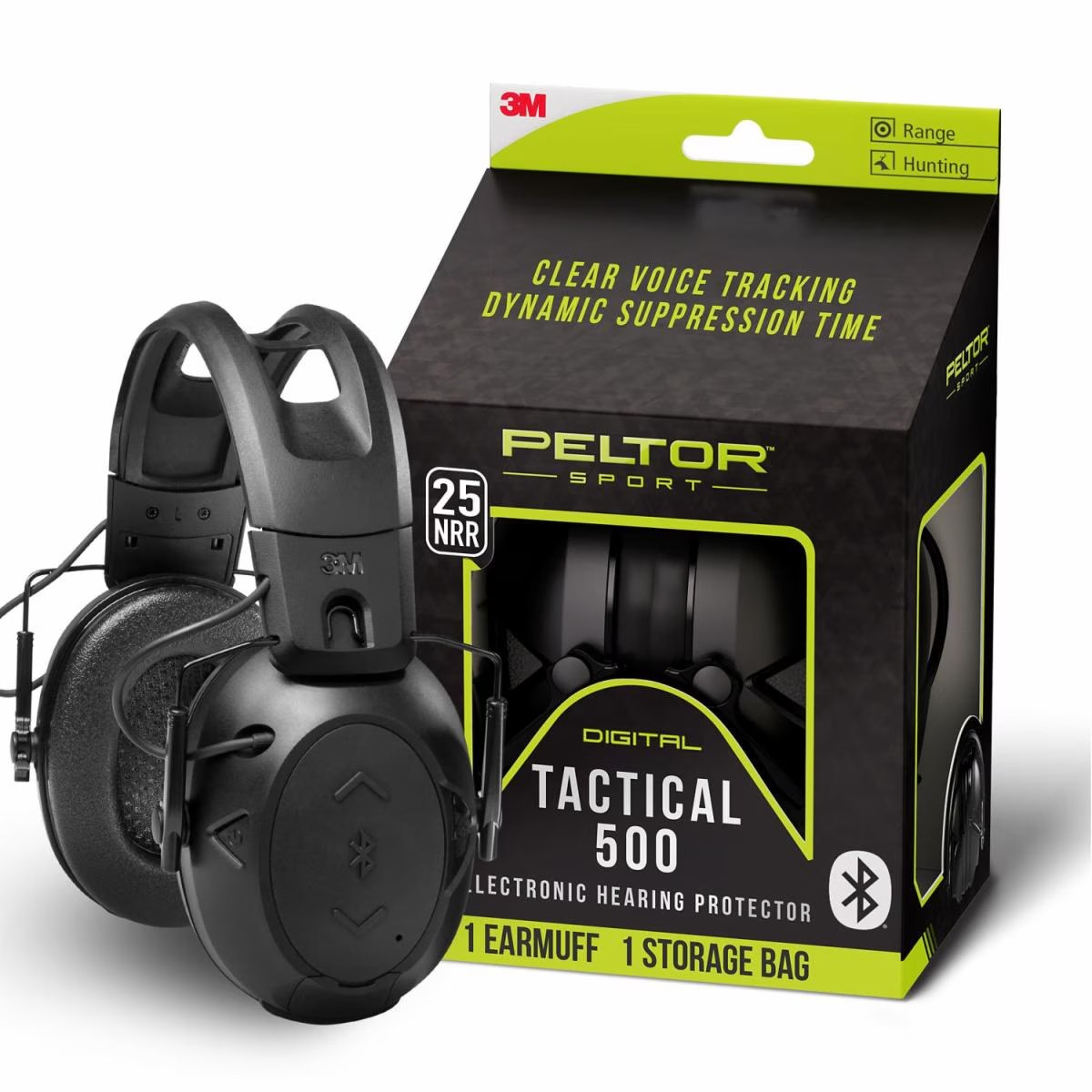
    A connected range kit starts with knowing what each piece of equipment brings to the routine. The Peltor Sport Tactical 500 combines an electronic earmuff format with phone connectivity, making its power options and sound-processing features central to the buying conversation.

    The product at a glance

    Manufacturer
    3M
    Model
    Peltor Sport Tactical 500 · B5005640010
    Published NRR
    25 dB
    Connectivity
    Bluetooth
    Power
    AA batteries or a separately sold Alpha 1100 rechargeable battery

    Specifications: current 3M U.S. product listing, checked October 13, 2026.

    Connectivity is part of the equipment choice

    3M lists Bluetooth pairing for calls and mobile audio. It describes voice-focused processing and suppression timing that responds to gunshot energy, alongside recessed microphones and a folding, adjustable design.

    Those features raise a practical distinction for a shopping list: a reader seeking mobile connectivity is considering a different set of priorities from someone looking for a simpler audio-input arrangement. Write down the connections needed for the intended routine before comparing model names or shopping by appearance alone.

    Think through the power plan

    The listed battery options make power planning a useful part of the decision. AA batteries and a separate rechargeable pack call for different preparation: spare batteries in one case, a charging routine and the appropriate accessory in the other. The value of that choice depends on how the reader organizes equipment before leaving home.

    A sensible comparison considers the whole setup: the exact model, replacement supplies, carrying space and the manufacturer’s instructions. A feature that sounds convenient in isolation becomes more useful when it fits an established routine.

    Reading the specification carefully

    3M’s current U.S. listing gives a 25 dB noise reduction rating. Follow the manufacturer’s fitting and use instructions when selecting and using hearing protection. Keep the model identifier with the comparison notes so specifications from a similar-looking product do not migrate into the decision.

    For readers building a connected equipment kit, the Tactical 500’s published feature set places Bluetooth and flexible power options at the center of the discussion. The next shopping step is to confirm the exact configuration, required accessories and current price with an authorized seller.

    Explore Walker’s Razor Slim · Equipment buying guides